01
Plan
- budget
- crew
- schedule
- scenes
- expenses
Schedule starters are illustrative; milestones are not script stripboards or call sheets.
Studio Manager / Project workspace
One workspace for production planning, project records, rights documentation and delivery preparation.
Project access requires a verified account and an active subscription.
The production problem
Production gets messy fast. Budget in a spreadsheet. Releases in email. Crew information somewhere else. Music rights in a folder. Delivery requirements discovered at the last minute.
Where’s the location release?
Did we actually clear that song?
Which version did the client approve?
Are we ready to hand this project over?
Why are half of these files in someone’s email?
The workspace
Keep production plans, project records and delivery preparation connected.
01
Schedule starters are illustrative; milestones are not script stripboards or call sheets.
02
03
INSIDE THE WORKSPACE
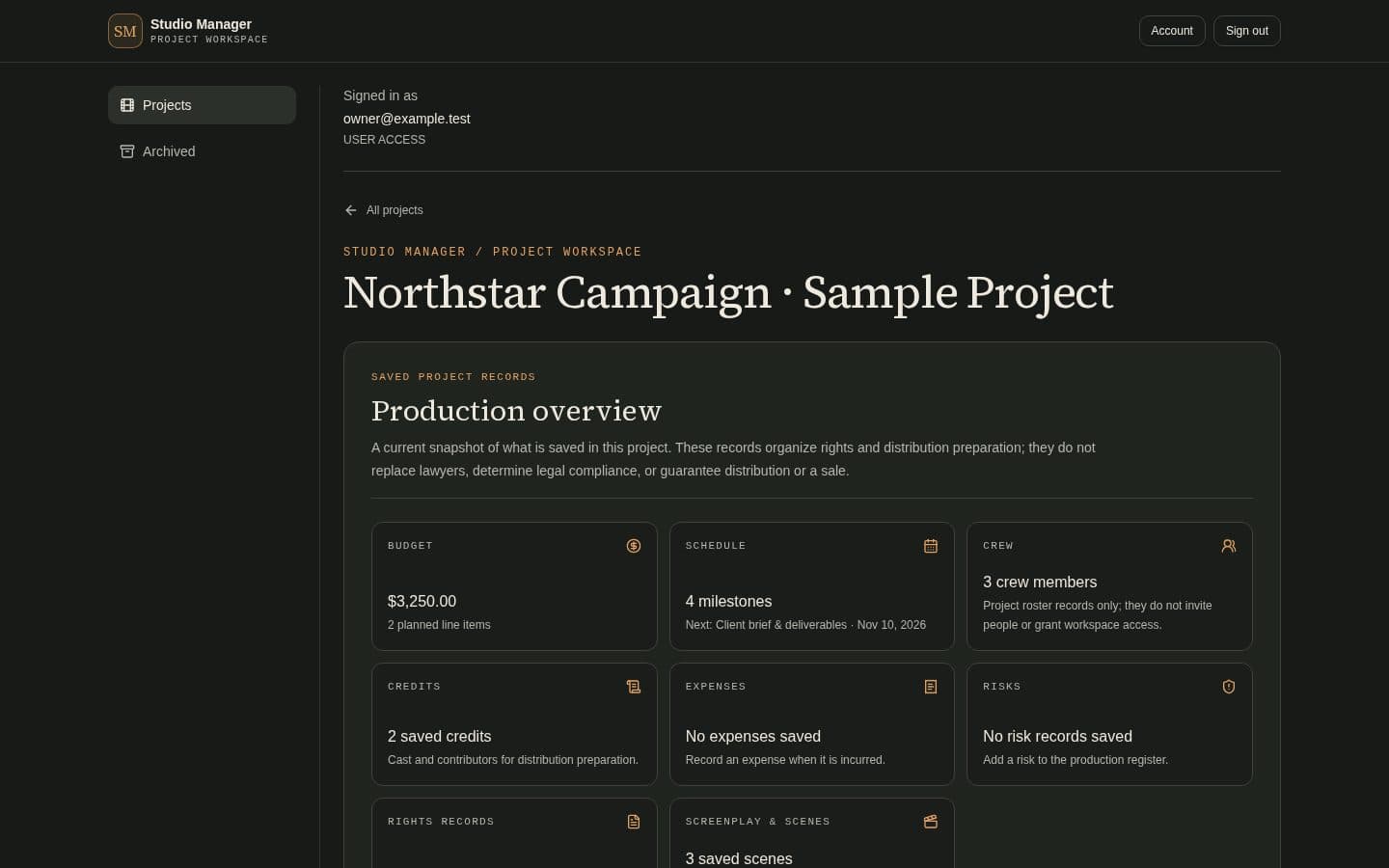
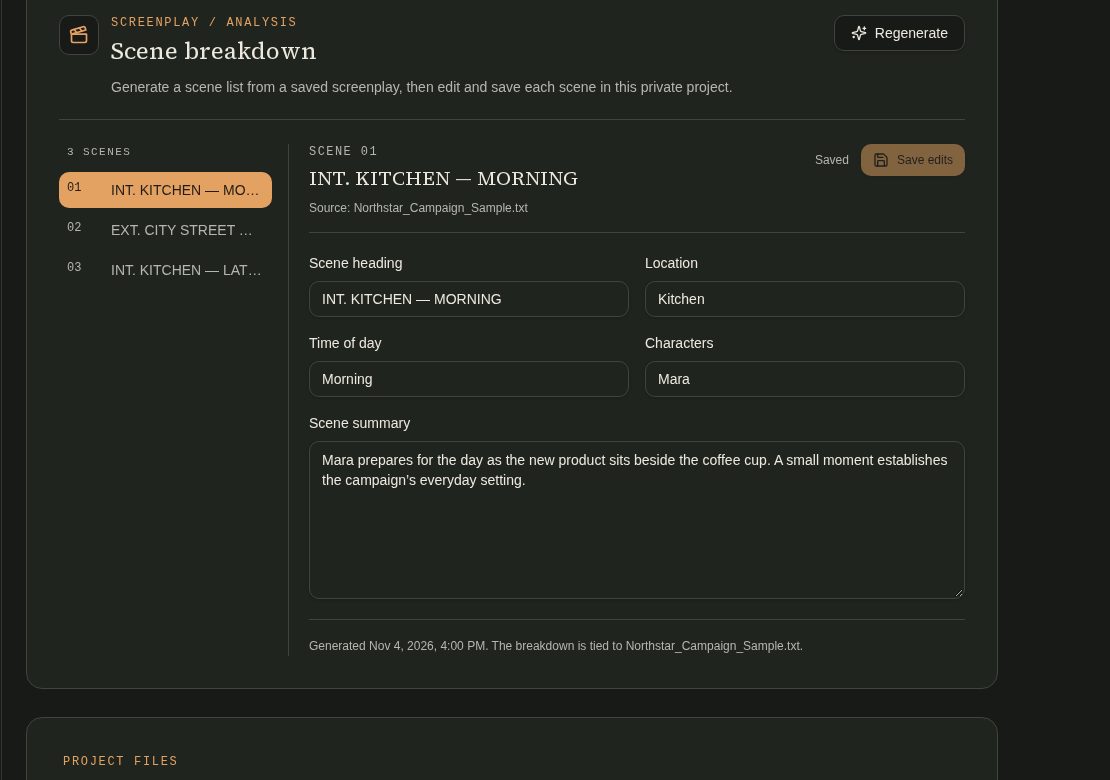
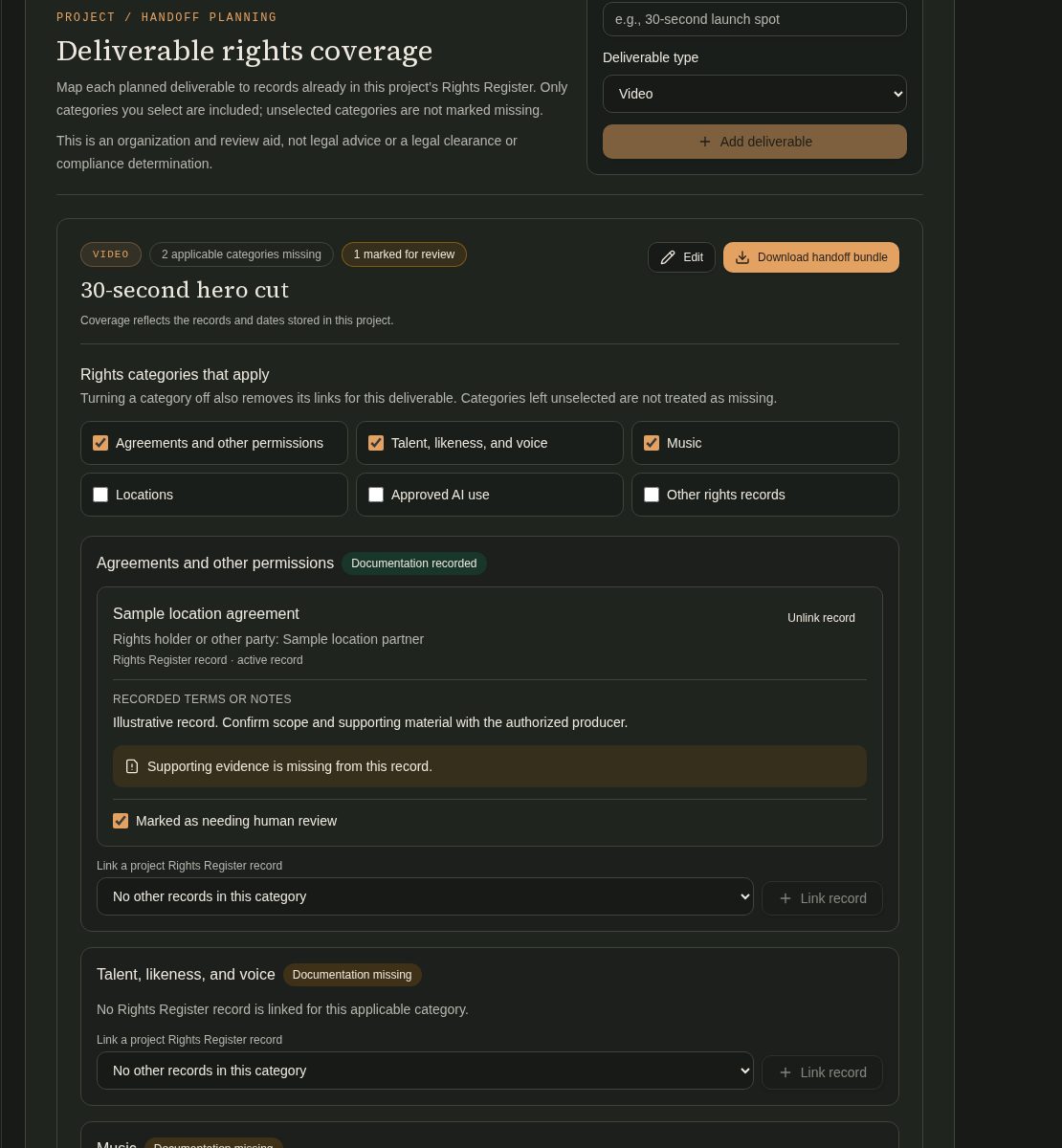
Genuine app captures from a synthetic sample project. The records and scene details are illustrative, not customer evidence.
Synthetic sample project · illustrative records · not customer evidence
01 / SCREENPLAY
Attach a screenplay, inspect the generated scene list and edit the saved scene details.
02 / DELIVERABLE RIGHTS
Selected categories show missing matches, linked records and the human-review status. Unselected categories are not treated as missing.
Why Studio Manager?
Follow one connected path from brief through delivery. Before approaching distributors, sales agents, festivals or streaming services, compare what the project has with what still needs attention.
Compare common rights and clearance items, credits and metadata, and delivery files with saved project records.
Follow checklist progress and surface missing matches or records for human review.
Export a distribution-checklist PDF and a linked-evidence handoff bundle.
Studio Manager organizes records for review. It does not provide legal advice, determine clearance or compliance, certify clearance or delivery, or guarantee distribution readiness, distribution or a sale.
Made for the people moving a project forward
Budget, crew, schedule.
Releases and project records.
What is missing before handoff.
Recurring monthly plans
Projects are available after account verification and active subscription. The project action routes signed-in users to their workspace and visitors to plan selection.
Account and exports
Project owners need a verified account and active recognized subscription. They can invite crew by email; invitees verify that address and accept before accessing the shared project. Account seats include the owner and accepted members: Indie 3, Producer 15 and Studio 50. The designated company owner retains private test access. Manually recorded crew entries alone do not grant workspace access.
Current exports are rights-register CSV, distribution-checklist PDF and linked-evidence handoff bundle. The available policy does not establish backup, retention or project-file ownership terms.
Read access and data answers